Şarjdaş: where electric car owners find each other
At the charger, on a long trip or around town: meet nearby EV drivers, see charging points on a map, share queue and meet-up info, and help each other on the road.
Opens in the browser, no installation. The interface is in Turkish.
What is it for?
The most annoying moments of EV life usually happen at the charger. Şarjdaş was made to make them easier.
Features
The screenshots below use sample data.
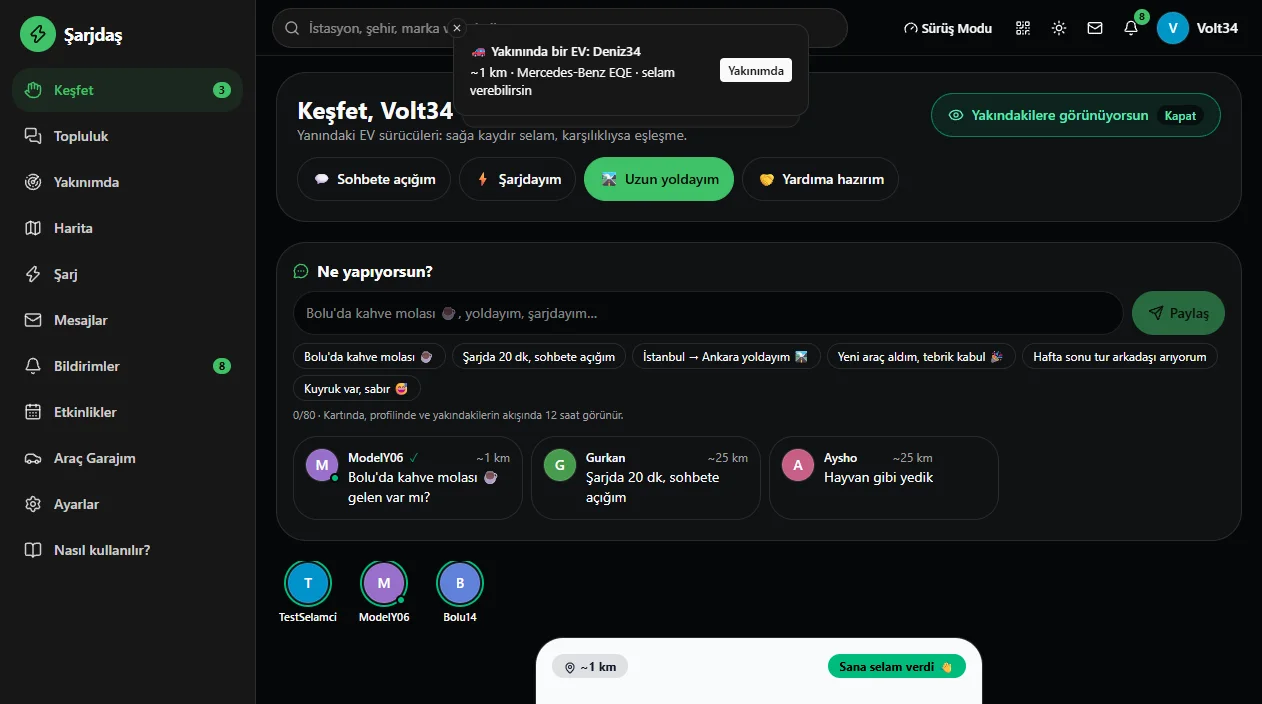
Discover: meet drivers near you
See electric car drivers in your city or on your road. Say hi to someone; if they say hi back, you match.
- Car model and level info
- Approximate distance (your exact location is never shown)
- Say hi with one tap
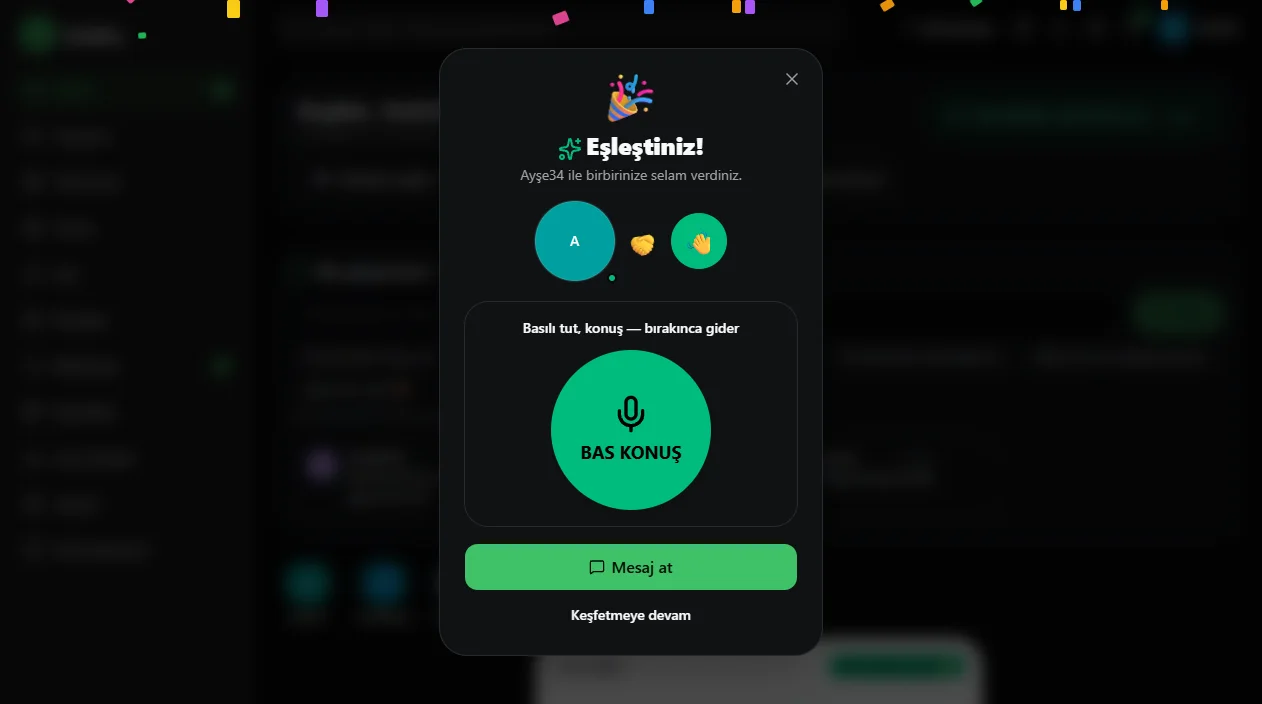
Chat starts when you match
A mutual hi is a match. Then you can message, leave a voice message or use the push-to-talk radio.
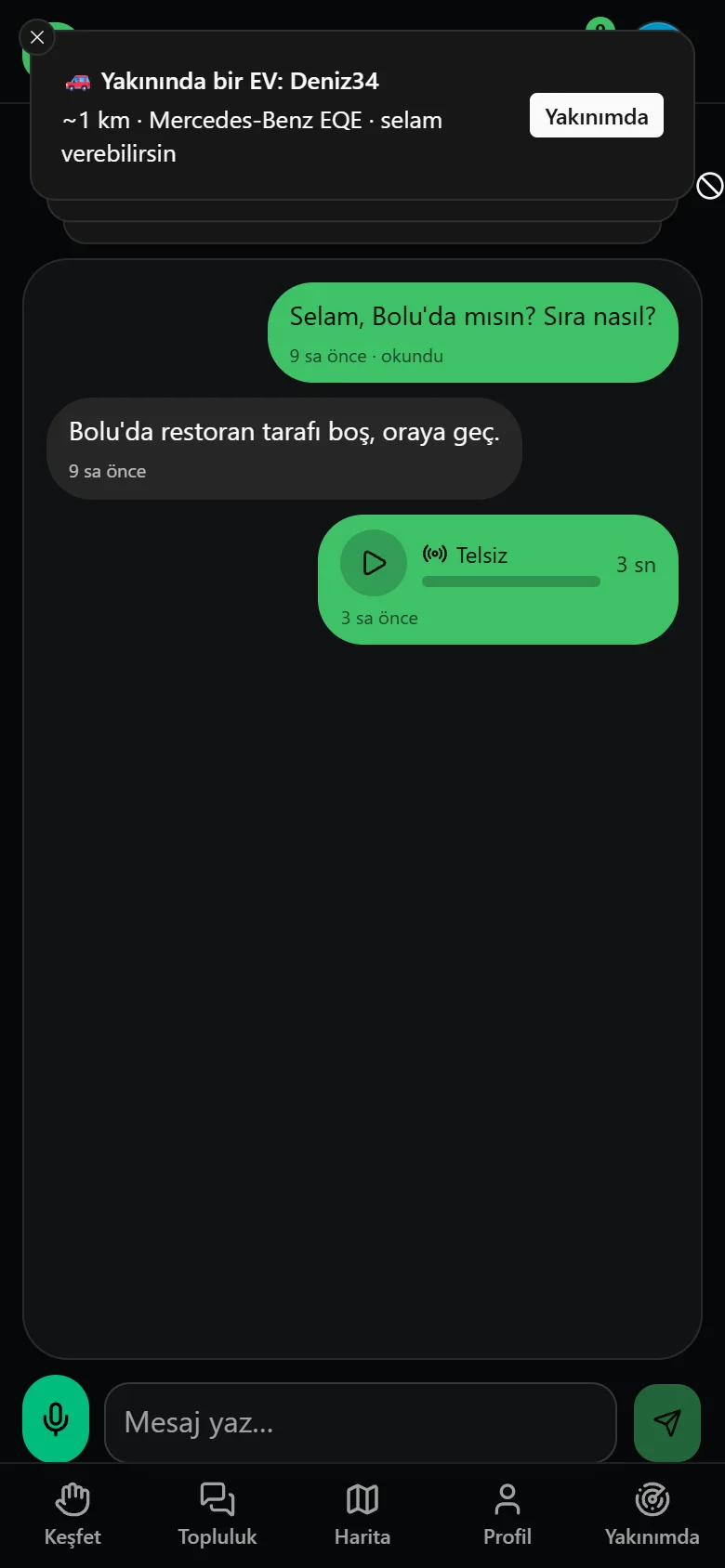
Push-to-talk radio and messages
Hold to talk, release to send. For short voice messages without typing while driving. You also get a notification when an EV appears nearby.
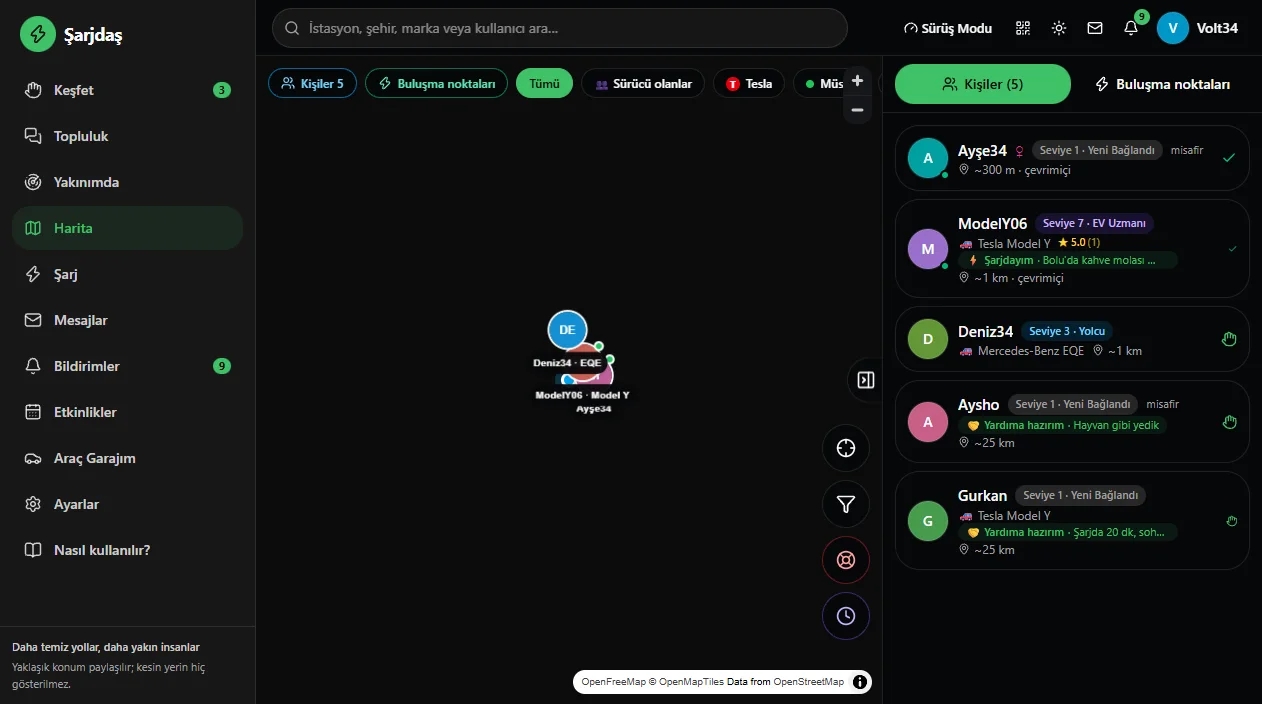
Map: drivers and charging points
See drivers, charging points and meet-up spots on one map. Filter by people, meet-up spots or car brand.
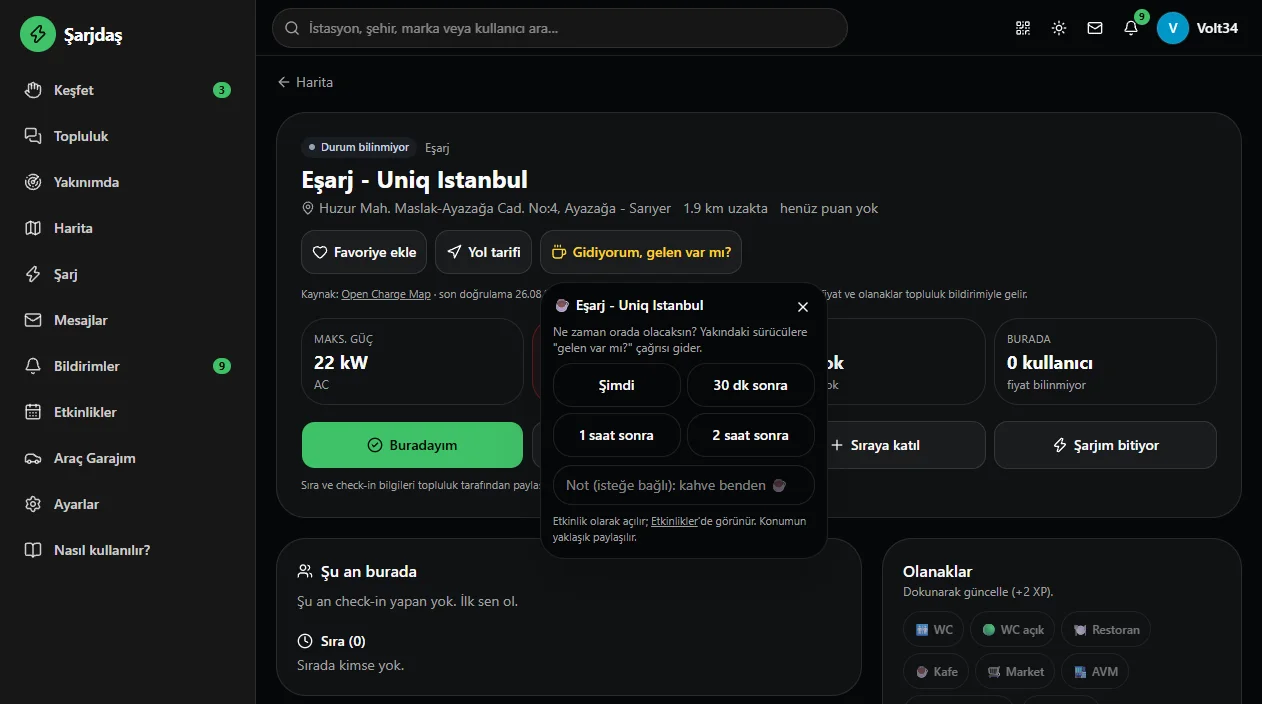
At the charger: I’m here, queue, anyone coming?
Every station has its own page. Say you’re there, join the queue, announce your charge is ending, or open an ‘I’m heading there, anyone coming?’ call before you set off.
- I’m here: check in at the station
- Join the queue, my charge is ending
- Heading there, anyone coming? (now, 30 min, 1 hour, 2 hours)
- Favorites, directions, amenities (WC, cafe, market…), reviews and ratings
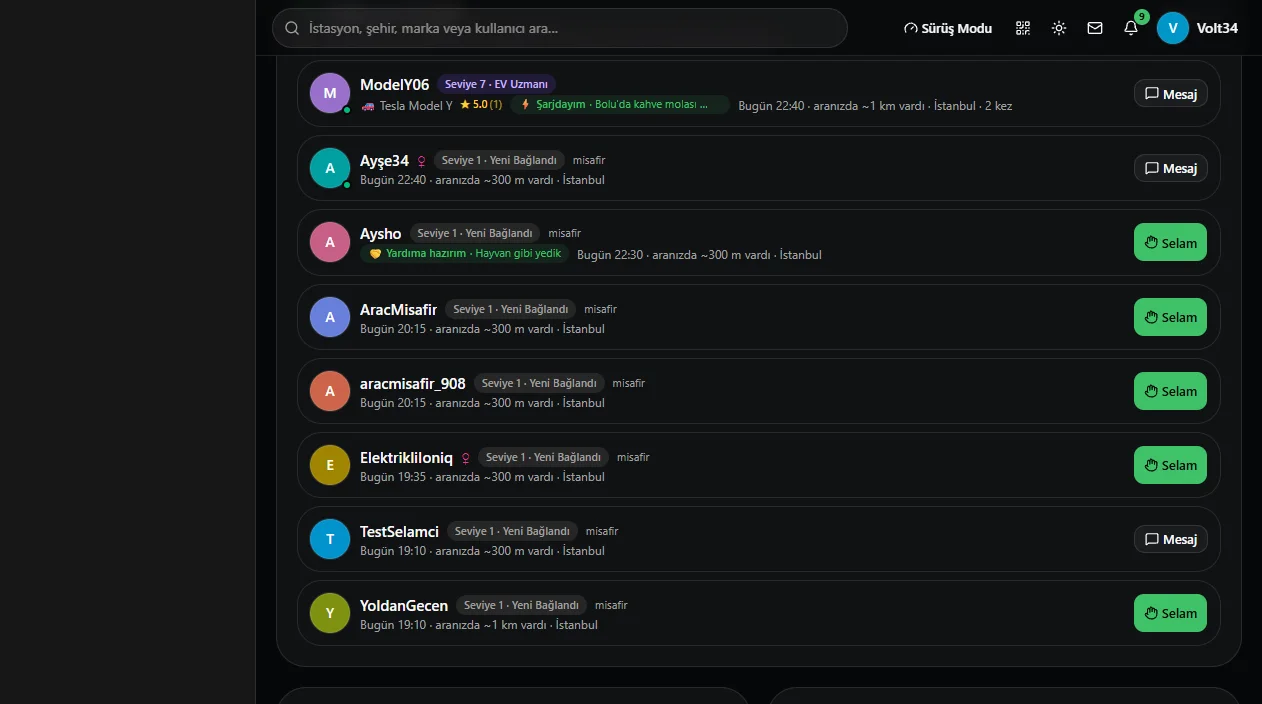
Paths crossed
Lists drivers whose road crossed yours, like ‘we were ~300 m apart’. You can say hi afterwards.
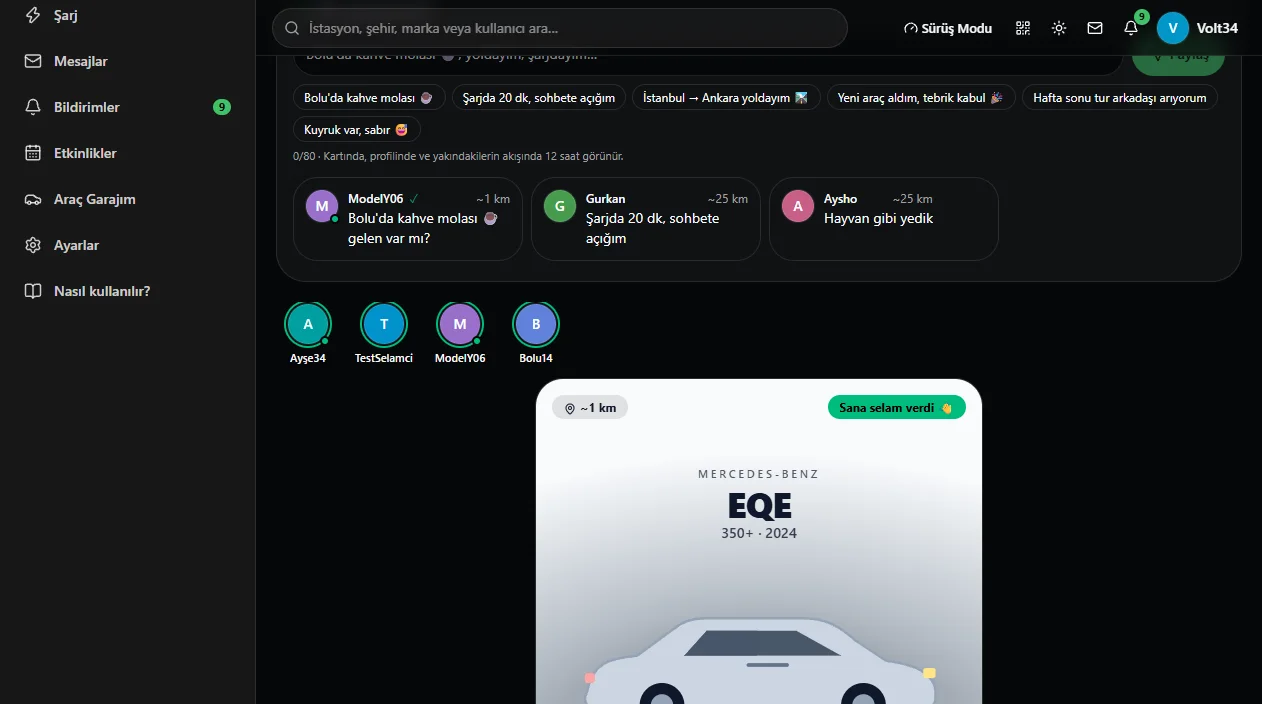
Share your status
Short status cards such as ‘Coffee break in Bolu’ or ‘Charging 20 min, open to chat’. Visible in nearby feeds for 12 hours. Mark topics you can help with using the ‘ready to help’ tag.
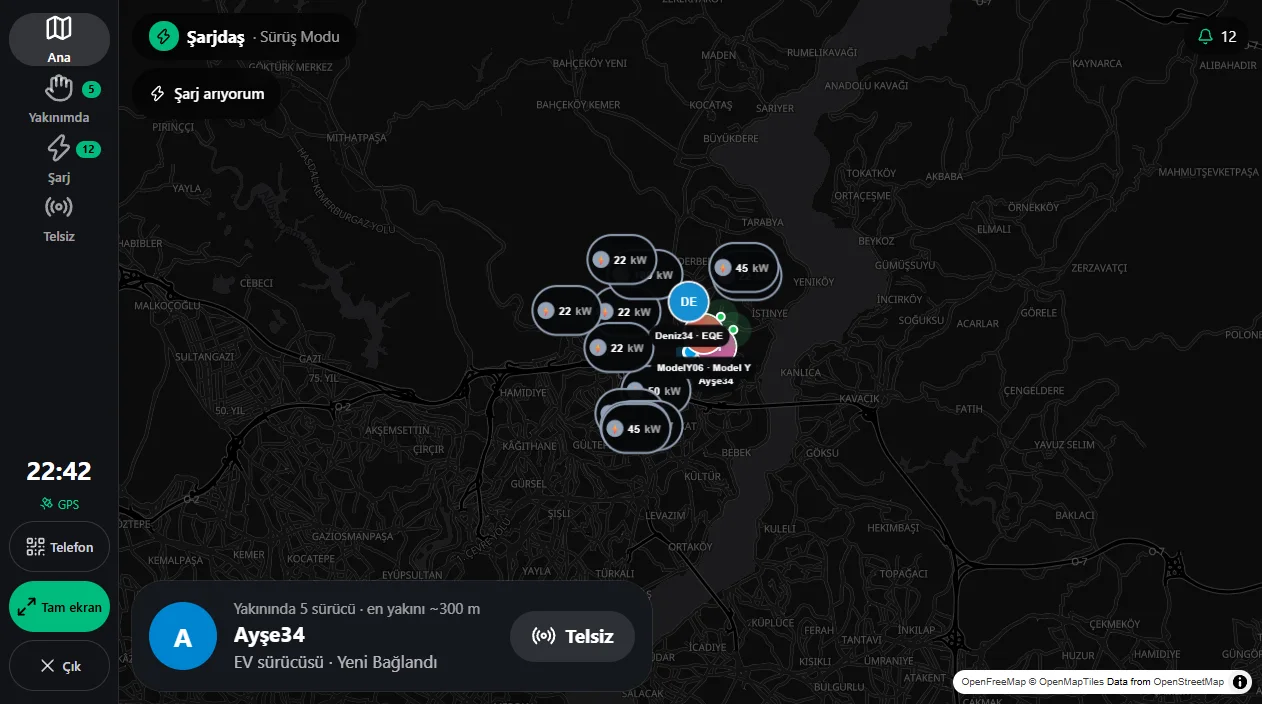
Drive mode
Full-screen map, nearest driver, nearby charging points and the radio on one screen. Designed for the passenger seat.
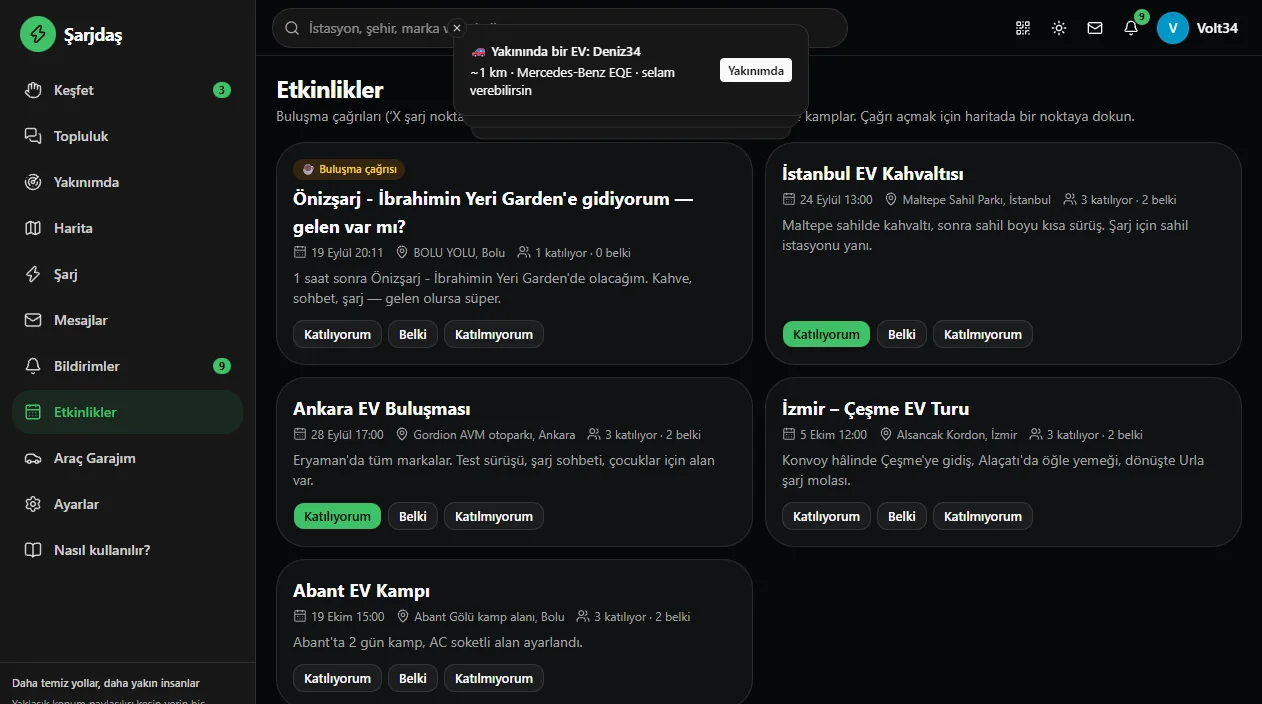
Events and meet-ups
Meet-up calls, EV breakfasts, camps and convoy tours. Say going, maybe or not going.
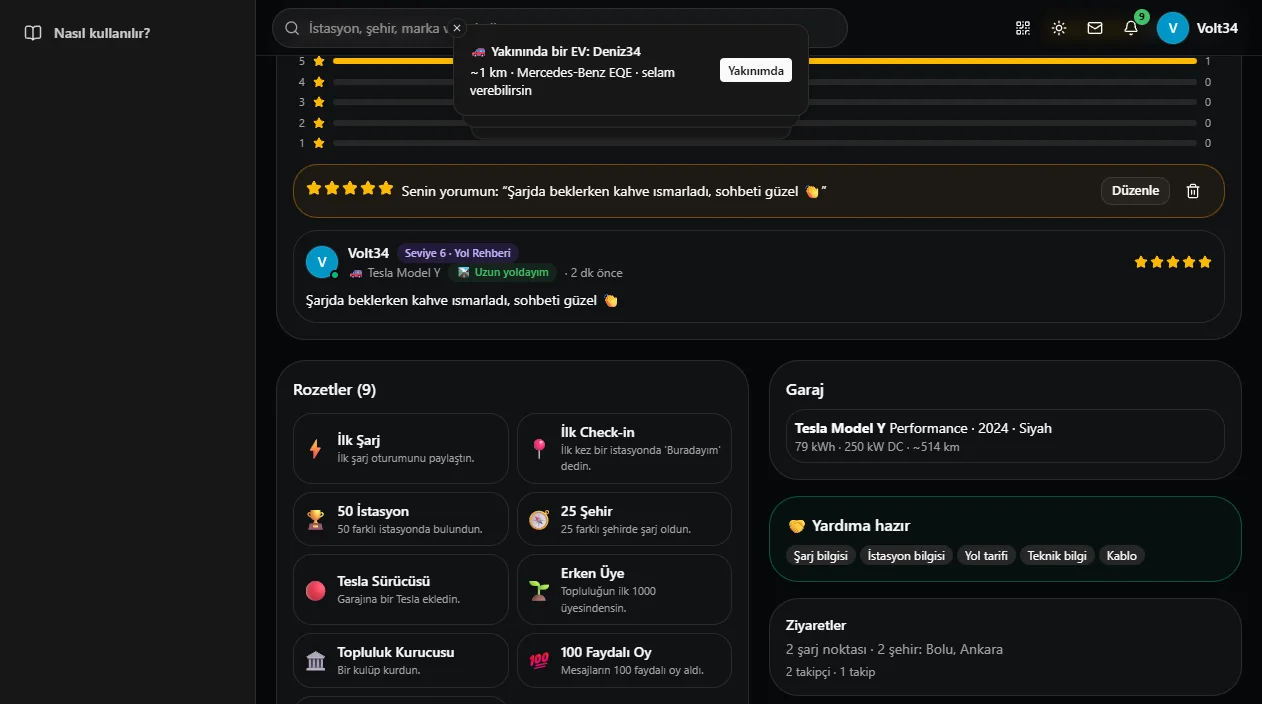
Levels, badges and reviews
Earn levels and badges as you charge, help others and write reviews. Rate stations and leave comments.
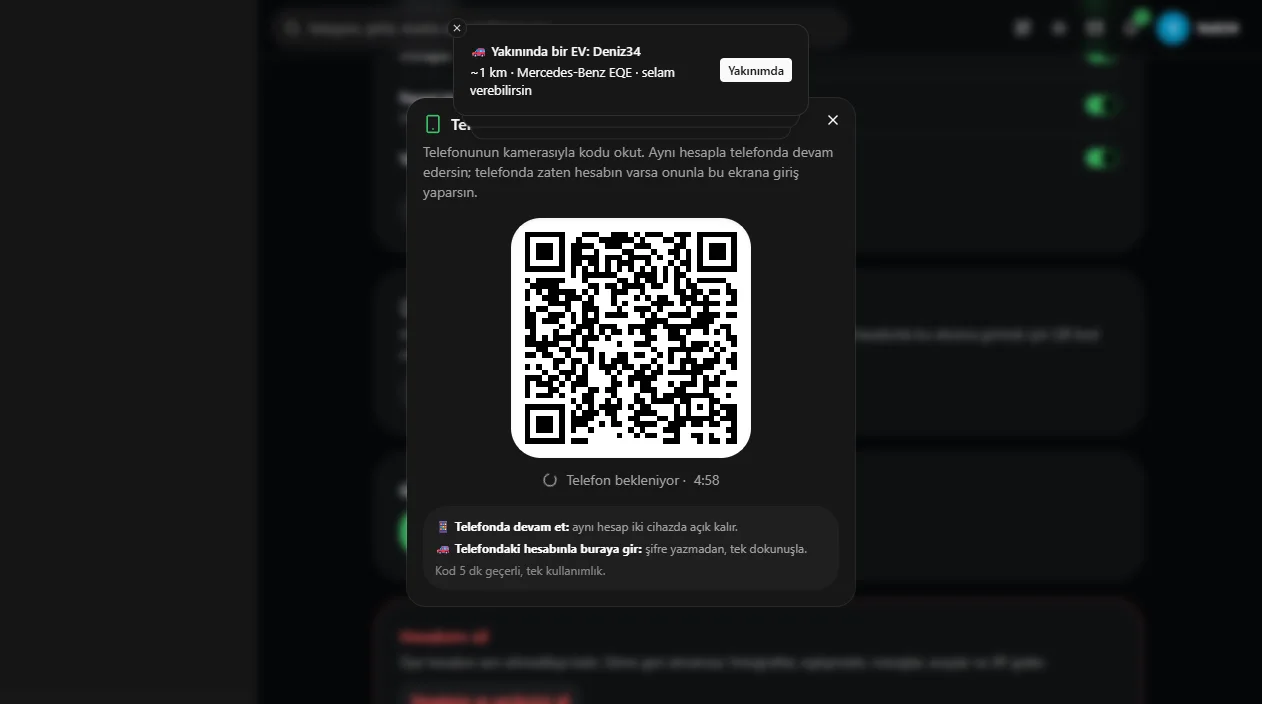
Continue on your phone
Scan the QR code with your phone camera: continue on your phone with the same account, or sign in on the car screen with your phone account in one tap. The code is valid for 5 minutes.
Privacy comes first
In a meeting app, what matters most is that you decide who knows what.
- No real name needed, a nickname is enough
- Location is shared approximately (~1 km); your exact spot is never shown
- Turn off visibility to people nearby at any time
- Gender is optional
- Guest accounts are deleted automatically if unused for 24 hours
- Block and report anyone who bothers you
How do I start?
- OpenOpen windasist.com/sarjdas in your browser; nothing to install.
- Pick a nameChoose a nickname and decide whether to show your location to people nearby.
- Say hiSay hi to nearby drivers, browse charging points and join meet-ups.
Frequently asked questions
Do I have to give my real name?
No. A nickname is enough; the welcome screen suggests a random one that you can change.
How accurate is the location shown?
Location is shared approximately (about 1 km); your exact position is never shown. You can switch off visibility to people nearby at any time.
What is a guest account?
A temporary account for trying the app without signing up. It is deleted if unused for 24 hours; claim a username to keep it.
Which cars can use it?
Any brand. Owners of Tesla, Togg, BYD, Ioniq, MG and other electric cars can use it, and you can add your car to your garage.
Does it work on phones and in the car?
It opens in the browser, on phones and computers, and can be tried in in-car browsers. A QR code lets you switch between phone and car screen.
Discover drivers near you on Şarjdaş
No installation, opens in the browser.
Screenshots use sample data. Charging point data comes from Open Charge Map and community reports and may not be up to date. Şarjdaş is a project in development.